
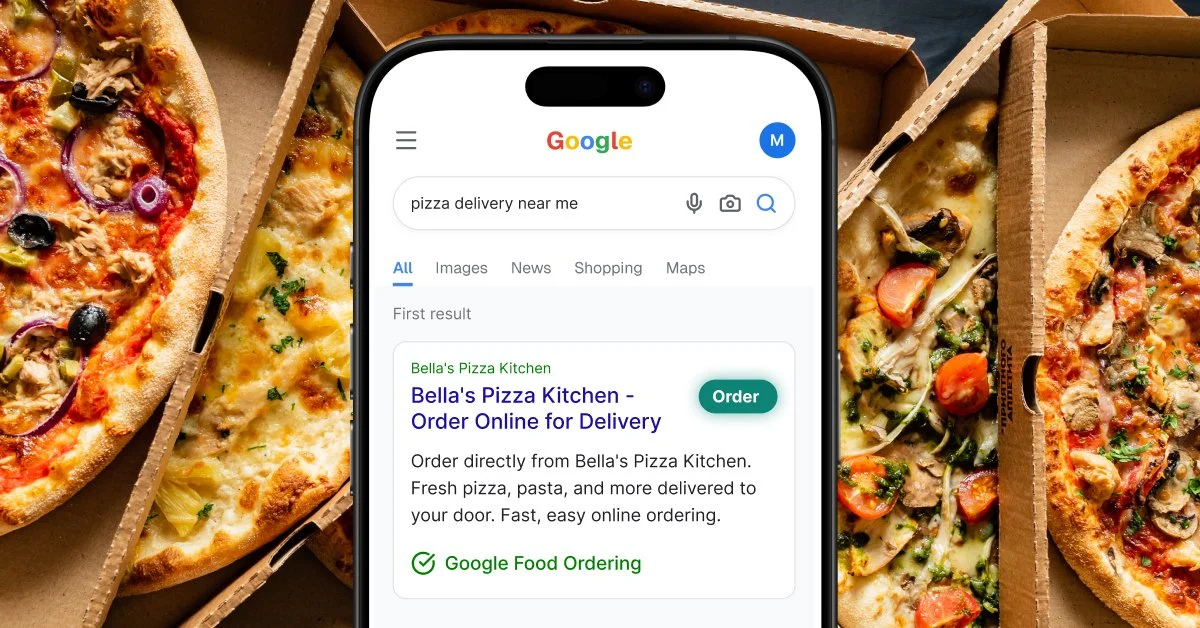
When someone searches "pizza near me" on Google, they don't just get a list of websites. They see a map, a set of listings, and often an Order Online button sitting right inside the search results. That button is Google Food Ordering for restaurants, and if yours isn't connected to it, you're invisible at the exact moment a guest is ready to spend money.
How Google Food Ordering actually works
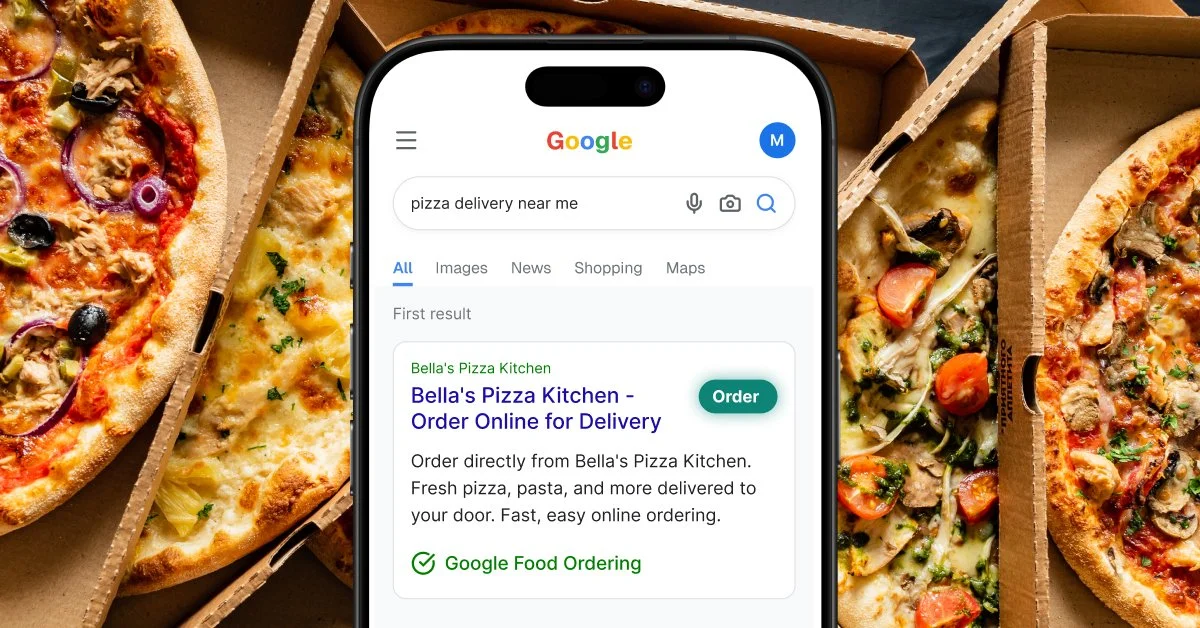
Google Food Ordering places an Order Online button directly inside your Google Business Profile. Guests see it in both Google Search and Google Maps. When they click it, they can browse your menu and place an order without ever leaving Google. That order then routes straight into your restaurant's own online ordering system.
The key distinction: Google Food Ordering is not a delivery service. It's an ordering channel, a direct connection between a guest searching on Google and your restaurant's own ordering flow. There's no Google delivery driver and no Google commission on the transaction itself. Google handles discovery. The order belongs to you.
Why Google Food Ordering increases conversion from search
The typical path from a Google search to a placed order has a lot of friction built in: click to the website, hunt for the ordering button, get routed to a third-party platform, create an account, re-enter delivery information. Every one of those steps loses guests along the way.
Google Food Ordering shortens that path considerably. A guest searching for food sees your listing, sees your menu, and can order in under two minutes without ever leaving Google. Less friction means more searchers actually become paying guests.
Reviews influence more than whether a guest clicks. They sit directly next to the Order Online button in both Google Search and Google Maps, so a strong rating and review count are part of what makes a guest tap "order" instead of scrolling to the next listing. (For a full breakdown of how to build review volume and respond consistently, see our guide to getting more Google reviews.)
Direct order or third-party app: which one actually pays off?
OPTION 01
Through a third-party delivery app
The order routes through Google, but a delivery platform still handles it and takes a cut.
The guest clicks Order Online and everything looks seamless on their end. Behind the scenes, the order lands on a third-party platform's system, and that platform charges its standard commission on the sale.
Works, but every order still costs you a cut you didn't have to give up.
OPTION 02
Through your own direct ordering platform
Same Order Online button. The order goes straight to your restaurant instead.
The guest gets the identical one-click experience from Google. But the order lands directly in your own ordering system: no delivery platform in the middle, no commission coming out of the sale.
Menufy connects directly to Google Food Ordering, so orders route straight to your restaurant instead of through a delivery app. Guests cover a small convenience fee at checkout, not a commission out of your side.
Why this pays off long after you set it up
Google Food Ordering combines two things that rarely show up together: zero ongoing cost and a benefit that compounds over time. Once it's set up, there's no maintenance, no campaign to manage, no ad spend. Every Google search that surfaces your listing becomes a potential direct order, indefinitely.
For context, paid search ads for local restaurant queries typically run $1 to $3 per click, with conversion rates of 2% to 5%. Google Food Ordering costs nothing to run and reaches guests at a higher intent moment. They aren't just scrolling past an ad. They're already looking at your listing.
How to get set up
Getting connected to Google Food Ordering requires a verified Google Business Profile and an online ordering system that integrates with Google's ordering platform. Not every ordering system has this built in. Before you choose one, confirm two things: that Google Food Ordering integration is included, and that it routes orders directly rather than through a third-party delivery app that will still take a commission.
What Menufy handles: Google Food Ordering integration is included as part of Menufy Marketing Advantage setup. Your restaurant gets the Order Online button in Google Search and Maps, connected directly to your own ordering system, with no technical work required on your end. The guest pays a small fee to use it, and that's the only cost tied to the order.

Frequently Asked Questions
Q: What is Google Food Ordering? +
A: It's an Order Online button built into your Google Business Profile. Guests see it in Google Search and Google Maps, and clicking it lets them order directly without leaving Google.
Q: Is Google Food Ordering the same as Google Ads? +
A: No. Google Ads is paid placement you bid on. Google Food Ordering is a free feature tied to your verified Google Business Profile. There's no bidding and no cost per click.
Q: Does Google charge a commission on orders? +
A: No. Google doesn't take a cut of the order itself. Whether a commission gets charged depends on which ordering system the button connects to. Third-party delivery platforms still charge their standard commission. A direct ordering platform doesn't.
Q: Does Google Food Ordering work with delivery apps like DoorDash or Uber Eats? +
A: It can, but that routes the order through the delivery app's system, which means their standard commission still applies. Connecting Google Food Ordering to your own direct ordering platform instead keeps that order (and the revenue) with your restaurant.
Q: What do I need to get set up? +
A: A verified Google Business Profile and an online ordering system that integrates with Google's ordering platform. Confirm your ordering provider routes orders directly rather than through a third-party delivery app before you set it up.